


Mobile internet in the USA: eSIM, plans, travel tips

You're going on a road trip in the USA and wondering how to get Internet on your phone? International plan, eSIM, local SIM card – here are all the simple and effective solutions. Goal: avoid expensive roaming charges in the USA and the bills that come with them!
#1. The eSIM in the USA: simple and fast solution

What is an eSIMcard?
An eSIM is a virtual SIM card built directly into your smartphone. No need to go to a store or swap out your current SIM: you receive a QR code by email, install it, and you have access to the local network. It is THE fastest and simplest way to stay connected in the United States (source: Airalo, 2025).
Is it worth getting an eSIM for the USA?
Yes, getting an eSIM for the USA is worth it: it’s quick to set up and makes travelling easier, especially on a road trip. Here are the main advantages:
- No need to hunt for a store on site
- Installation in just a few minutes
- Keep your French SIM active to receive your bank SMS codes
- Ideal for Google Maps, booking activities, and sharing photos
How can I buy an eSIM for the United States?
To get an eSIM for the USA, just order it from a specialist provider before your departure and activate it on the day you arrive. This avoids any loss of connection and guarantees immediate Internet access as soon as you leave the plane.
Main providers:
- Holafly: unlimited data, instant activation
- Airalo: plans from 1 to 30 days for low prices
- Ubigi: good data/price compromise, calls included
Most popular road trips



How do you install and activate an eSIM while traveling in the USA?
The installation of an eSIM is managed right from your phone’s settings and generally takes less than five minutes. The steps differ a bit depending on whether you use an iPhone or an Android smartphone (sources: Apple Support, Google Support).
📱 On iPhone (iOS 14 and up):
- Open Settings → Cellular Data → Add Cellular Plan
- Scan the QR code sent by your provider
- Select the eSIM as your main line for data
- Enable data roaming
- Restart your device to finish the setup
🤖 On Android:
- Open Settings → Connections (or Network & Internet)
- Choose SIM card manager or SIMs & mobile networks
- Tap Add eSIM or Download SIM profile
- Scan the QR code provided by your operator
- Enable data roaming
- Restart your phone to validate the installation
Which eSIM is best for the USA : comparison table
There isn’t a single “best” eSIM for every traveller. If you want unlimited data and simplicity for a short trip, Holafly is a solid choice. For longer stays or moderate use, providers like Saily or SimLocal offer good value. Options billed in USD, such as Maya Mobile or Breeze, can also be attractive, but you should factor in potential conversion fees from your bank.
→ These offers are billed in euros, so no currency conversion fees. Listed prices are final (except possible promotions):
| Provider | Included data | Price (€) | Duration | Activation |
|---|---|---|---|---|
| Holafly | Unlimited | 27 € | 5 days | Instant QR code |
| Saily | 10 GB | 24 € | 30 days | Instant QR code |
| SimLocal | 10 GB | 29 € | 30 days | QR code or in-store |
→ These offers are billed in US dollars. Depending on your bank, conversion fees may apply. Approximate prices in euros are calculated at the August 2025 exchange rate (1 USD = 0.91 €):
| Provider | Included data | Price (USD) | Approx. price (€) | Duration | Activation |
|---|---|---|---|---|---|
| Revolut | Pay-as-you-go ($5/GB) | 5 USD / GB | 4.55 € / GB | Flexible | Revolut app |
| Roamless | 1 GB to unlimited (pack) | from 3 USD | 2.73 € | Flexible | Roamless app |
| Maya Mobile | 10 GB | 26 USD | 23.66 € | 30 days | Instant QR code |
| Breeze | Unlimited (FUP*) | 39 USD | 35.49 € | 30 days | Instant QR code |
Sources: official provider websites, prices as of August 2025.
In summary, the eSIM is the easiest solution to have Internet in the United States: online purchase, installation via QR code, instant connection upon arrival. Setup is quick on both iPhone and Android, and many providers are available. To choose, compare the data amount, the price, and the validity period.
*FUP = Fair Usage Policy, possible speed restriction after a certain volume.
#2. The prepaid SIM card in the United States: prices and plans
What is a local SIM card in the USA?
A local SIM card is a physical or eSIM (virtual) card provided by an American operator. It replaces your usual SIM card, gives you a US number, and connects you directly to local networks (source: AT\&T, 2025).
Should you choose a physical SIM or a prepaid eSIM?
- Physical SIM → you remove your French SIM → you no longer receive French calls/SMS while the US SIM is installed
- eSIM → you keep your French SIM active as a secondary line → you can still receive important SMS (bank, authentication)
Where to buy a prepaid SIM card in the United States?
The simplest way to get a local SIM card is to buy it directly from a US operator or authorized reseller, either onsite or online before departure. This gives you a US number and immediate access to local networks.
On arrival, it’s easiest to visit an official operator store (T-Mobile, AT\&T or Verizon). They’ll install the SIM or eSIM on your phone in minutes, ensuring your local network works right away.
- Official T-Mobile, AT\&T or Verizon stores (pay in USD)
- American international airports (USD)
- Major retailers like Walmart, Best Buy or Target (USD)
- International resellers like SimLocal (pay in EUR)
T-Mobile plan: tourist and prepaid packages
T-Mobile offers a plan especially designed for visitors, called the Tourist Plan, which combines calls, SMS, and a generous amount of data usable across the United States.
- Price: 40 USD (about 36.40 €)
- Data: 10 GB 4G/5G + unlimited at reduced speed after quota
- Calls/SMS: unlimited in the USA
- Duration: 3 weeks
- Activation: physical SIM or eSIM
💡 Strong coverage in major cities, fast activation.
AT&T plan: offers for international travelers
AT&T offers a 15 GB prepaid plan with excellent coverage, especially in rural areas, and includes SMS to over 100 countries.
- Price: 35 USD (about 31.85 €)
- Data: 15 GB 4G/5G
- Calls/SMS: unlimited in the USA + SMS to over 100 countries
- Duration: 1 month
- Activation: physical SIM or eSIM
💡 Very good network in rural areas and national parks.
Verizon plan: prepaid plans and network coverage
Verizon boasts the best network coverage in the US with prepaid plans for travelers wanting to stay connected even in the most remote areas.
- Price: from 50 USD (about 45.50 €)
- Data: 15 GB 5G/4G
- Calls/SMS: unlimited in the USA
- Duration: 1 month
- Activation: physical SIM or eSIM
💡 Excellent coverage, even in remote areas.
Comparison table of prepaid SIM cards
Before choosing a local SIM card, always compare the included data volume, validity period, and whether you have the option for an eSIM, which is more convenient if you want to keep your French SIM active.
| Operator | Included data | Calls/SMS | Price (USD) | Approx. price (€) | Duration | eSIM avail. |
|---|---|---|---|---|---|---|
| T-Mobile | 10 GB (+ unlimited reduced) | Yes | $40 | ~36.40 € | 3 wks | Yes |
| AT\&T | 15 GB | Yes | $35 | ~31.85 € | 1 month | Yes |
| Verizon | 15 GB | Yes | $50 | ~45.50 € | 1 month | Yes |
Sources: Data from the official websites of T-Mobile, AT\&T, and Verizon (consulted in August 2025).
In summary, the local prepaid SIM card is ideal for enjoying the American network at full speed, especially if you buy it directly from an operator on site. It also exists in an eSIM version, convenient for keeping your French SIM active, and installs in just a few minutes on both iPhone and Android.
#3. Pocket wifi: ideal for connecting multiple devices
What is a pocket wifi?
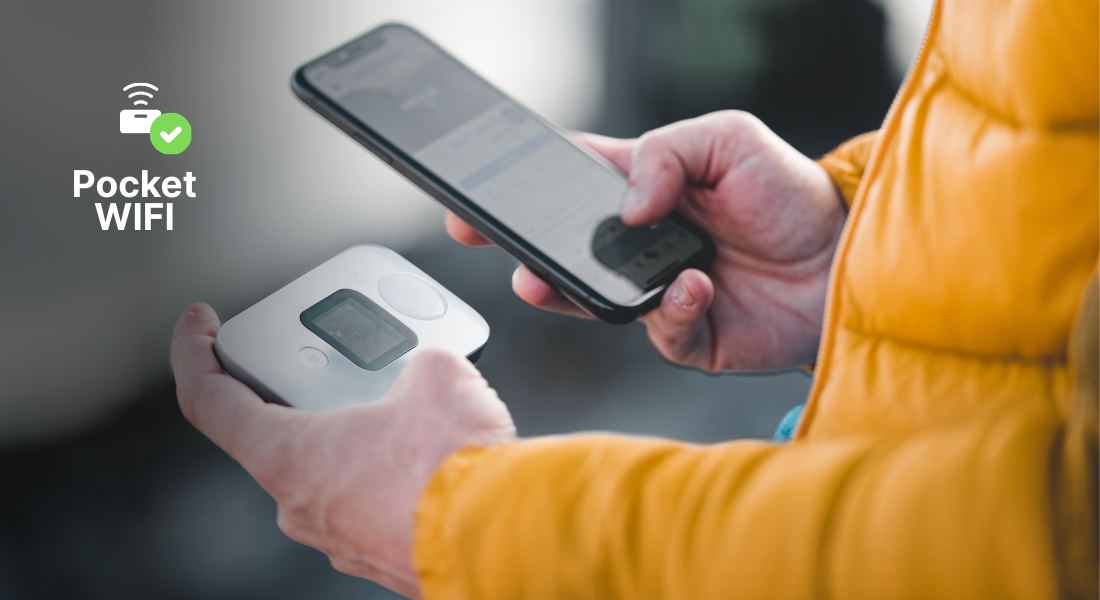
A pocket wifi (also called a travel WiFi router) is a device the size of a smartphone that picks up the local 4G/5G and shares it through a private WiFi network. It runs on battery and can be taken anywhere. It allows you to connect multiple devices (smartphone, tablet, computer) at the same time.
How to rent a pocket wifi for your road trip?
The simplest solution is to book the pocket wifi online before you leave, then pick it up at the airport, a pickup point, or have it delivered to your hotel. Once you’re done, it’s usually returned by prepaid envelope.
Comparative table of the best wifi devices for the USA
Before choosing a pocket wifi, compare the number of connectable devices, included data, and battery life.
→ Offer in euros (2025):
| Provider | Included Data | Connected Devices | Battery Life | Price/day (€) | Delivery |
|---|---|---|---|---|---|
| My Webspot | Unlimited | 5 | 8 h | €8.50 | France / USA |
| RentnConnect | Unlimited | 10 | 12 h | €7.95 | France / USA |
→ Offers in US dollars (2025):
| Provider | Included Data | Connected Devices | Battery Life | Price/day (USD) | Approx. Price (€) | Delivery |
|---|---|---|---|---|---|---|
| Travel WiFi | Unlimited | 5 | 12 h | $8.95 | ~€8.14 | France / USA |
| Tep Wireless | Unlimited | 5 | 8 h | $9.00 | ~€8.19 | USA |
Sources: Data from the official websites of My Webspot, RentnConnect, Travel WiFi, and Tep Wireless (consulted in August 2025).
In summary, pocket wifi allows you to connect several devices with a single unlimited plan during your USA road trip. Perfect for families or remote work, you rent it online and pick it up at the airport or your hotel.
#4. Mobile packages via your european operator
Can my local number be used in the USA?
Yes, your mobile plan can work in the USA. If you want to keep your local number and plan, most operators offer travel options to use your phone in the United States. This is convenient as everything is managed from your client space, but it’s often more expensive than a local SIM or eSIM.
The Orange USA/Canada plan: unlimited calls and data
Orange offers a USA/Canada Pass option that includes unlimited calls, SMS, and generous data for your stay. Activation is possible before departure from your client area.
- Price: €15 / 7 days or €29 / 14 days
- Data: 10 GB (4G/5G)
- Calls/SMS: unlimited from the USA to France and locally
- Activation: client area or Orange et Moi app
💡 Easy to activate and ideal for a short stay.
Free in the United States and its international package with 35GB included
With the Free €19.99 plan, the USA is included in the international zone.
- Price: included with the subscription (€19.99/month)
- Data: 35 GB in 4G on site
- Calls/SMS: unlimited from the USA to France and locally
- Activation: automatic upon connecting to the local network
💡 Advantage: no extra cost if you are already a client.
Vodafone sim UK – Roam Abroad option
Vodafone UK offers a “Roam Abroad” add-on that lets you use your UK plan’s data, calls, and SMS in the USA just as you would at home.
- Price: £6/day
- Data: included from your UK allowance
- Calls/SMS: included from your UK allowance
- Activation: via MyVodafone app or customer account
💡 Simple for occasional travel days, but expensive for longer stays.
O2 UK – Travel Inclusive Zone
With certain O2 Plus Plans, the USA is included in the “Travel Inclusive Zone”. This means you can use your regular UK plan at no extra cost.
- Price: included in eligible plans
- Data: your UK allowance available in the USA
- Calls/SMS: your UK allowance available in the USA
- Activation: automatic for O2 Plus Plan customers
💡 The most economical option if you already have an O2 Plus plan.
EE UK – Roam Abroad add-on
EE allows you to use your UK plan in the USA with the “Roam Abroad” add-on.
- Price: £15/month
- Data: included from your UK allowance
- Calls/SMS: included from your UK allowance
- Activation: add-on via EE app or customer account
💡 Convenient for regular travellers to the USA.
Vodafone Germany – Roam Abroad
Vodafone DE offers a “Roam Abroad” option allowing you to use your German mobile plan in the USA.
- Price: €6/day
- Data: included from your German allowance
- Calls/SMS: included from your German allowance
- Activation: MeinVodafone app or customer account
💡 Works exactly as at home, but daily fees add up quickly.
Deutsche Telekom Germany – Travel & Surf USA
Deutsche Telekom offers a dedicated “Travel & Surf” USA pass with a data allowance valid for a week.
- Price: €15 / 7 days
- Data: 5 GB (4G/5G)
- Calls/SMS: unlimited in the USA and to Germany
- Activation: MeinMagenta app or customer account
💡 A good option for a one-week trip with predictable costs.
Comparative table of mobile plans for the USA
European operators offer different roaming options for using your mobile in the USA. Here’s a clear overview of the main packages from France, the UK and Germany.
| Operator / Option | Data included | Price | Duration / Activation |
|---|---|---|---|
| Orange FR | 10 GB | €15 (7 days) / €29 (14 days) | 7–14 days • App / Client area |
| Free FR | 35 GB | €19.99/month (included) | 30 days • Automatic |
| Bouygues FR | 5 GB | €15 (7 days) | 7 days • App / Client area |
| SFR FR | 10 GB | €25 (14 days) | 14 days • App / Client area |
| Vodafone UK | UK allowance | £6/day | Daily • MyVodafone app |
| O2 UK | UK allowance | Included in O2 Plus plans | 30 days • Automatic |
| EE UK | UK allowance | £15/month | 30 days • EE app / account |
| Vodafone DEd | German allowance | €6/day | Daily • MeinVodafone app |
| Deutsche Telekom DE | 5 GB | €15 (7 days) | 7 days • MeinMagenta app |
Sources: Data from operators' official websites (August 2025).
In summary, operator passes are practical for a short stay, but for more data or a long road trip in the West for example, a local eSIM or SIM is often cheaper.
#5. Practical tips for your connection on-site

Once there, a few simple settings can optimize your connection and avoid nasty surprises on your bill or with your data consumption. Promise, these 15 seconds of reading will be very useful!
#1. Check if your phone is compatible
Before leaving, make sure your phone works on US 4G/5G networks and can support an eSIM if you choose that option.
- End of 3G: since 2022, US operators have shut down 3G. A 4G/5G compatible smartphone is essential.
- eSIM compatibility: most iPhones since the XS and many recent Androids are compatible with eSIMs; if you have an old smartphone, it’s best to check.
- Network verification: check your phone’s specifications to ensure compatibility with US frequency bands.
#2. Set up your phone for data roaming
For your phone to access the internet in the United States, you need to enable what’s called “data roaming.” This allows your device to use US networks. Only enable it if your SIM or eSIM already includes internet for the USA, otherwise, your bill could be quite high.
- On iPhone: Settings → Cellular Data → Options → Data Roaming.
- On Android: Settings → Connections → Mobile Networks → Data Roaming.
#3. Use free WiFi networks as a supplement
During your trip to the United States, you will easily find free WiFi hotspots. This is a good way to limit your mobile data usage and reduce the cost of your plan.
Where to find free WIFI hotspots in the USA?
- Hotels and motels: often included in the room price
- Restaurants and cafés: Starbucks, McDonald’s, Dunkin’… almost always offer free access
- Libraries and public places: often available in large cities and municipal parks
- Tourist areas: some visitor centers and museums offer free access
How do I protect my data when connecting via public WIFI?
You should know that public WiFi networks are not secure. Avoid entering sensitive information (passwords, credit card numbers) without additional protection. You can use a VPN to secure your personal data.
What’s a VPN? A VPN (Virtual Private Network) encrypts all data that passes between your device and the internet. Result: even if someone tries to spy on the network, they won’t be able to read anything. Installing a VPN is quite easy—choose a provider like NordVPN, ExpressVPN, or ProtonVPN and get a subscription for the duration of your trip.
On site, open the app and activate it before connecting in any public area.
#4. Tips for Saving Mobile Data
Reducing your data usage will allow you to choose a cheaper plan. Here are some simple and effective settings:
Enable “Data Saver” Mode
- On iPhone: Settings → Cellular Data → Options → Low Data Mode
- On Android: Settings → Network & Internet → Data Saver\ → This prevents apps from using data in the background.
Download Google Maps for Offline Use
Select the area you plan to visit and save it so you can navigate even without a connection.\ → Perfect for trips in national parks where the network may be weak.
Disable Automatic App Updates
- On iPhone: Settings → App Store → Automatic Updates → Disable over Cellular Data
- On Android: Google Play Store → Settings → Network Preferences → Auto-update apps → WiFi only\ → Prevents your phone from downloading large files while you’re on the go.
Favor WiFi for Streaming and Video Calls
Download your movies, series, or podcasts in advance via your Netflix, Spotify, or other service account.
Authentik Pro Tip: Do a quick daily check of your data usage in your phone settings to avoid any nasty surprises.
#5. Match the Plan Choice to Your Trip Duration and Profile
The right plan mainly depends on the length of your road trip and your internet usage during your stay.
Short Stay (1 to 3 weeks)
→ A French carrier pass or an unlimited eSIM is often the easiest: no need to look for a shop locally, activation is just a few clicks before departure.
Extended Trip (1 month or more)
→ A local SIM with a large data allowance is more cost-effective. You’ll get the best local rates and optimal coverage.
Family or Group
→ Pocket WiFi is an appealing option: one subscription allows you to connect multiple devices.
Remote Work or Digital Nomad
→ Opt for an unlimited eSIM or local SIM, or one with at least 50 GB, so you can do video calls, file sharing, and streaming with no hassle.
- Solutions for a short stay (1-3 weeks)
- Options for an extended road trip (1 month or more)
- Family road trip / Small budget / Digital nomad / Remote work
- How to avoid overpaying for internet in the USA?
#6. Internet on Your Mobile in the USA: Summary Table
Each solution has its benefits and drawbacks. This table lets you quickly compare cost, convenience, and which travel style each option best suits.
| Solution | Advantages | Disadvantages | Ideal for… |
|---|---|---|---|
| French carrier plan | Immediate activation from France • Keep your number • No new SIM card to manage | More expensive if stay > 2 weeks • Data often limited | Quick trip or city break |
| eSIM USA | Buy and activate online • Connect as soon as you land • No physical card | eSIM-compatible smartphone required • Calls/SMS often via apps | Solo traveler or couple, flexible |
| USA prepaid SIM | Excellent local coverage • Great rates for long stays • Local calls included | Must purchase on-site • Temporary loss of FR SIM (unless eSIM) | Long-term road trip |
| Pocket Wi-Fi | Unlimited connection • Share with multiple devices • Works with any phone | Rental must be returned • Battery to manage • Costly if alone | Family or group road trip |
To stay connected in the United States without trouble, check your phone's compatibility, select the network manually if needed, and set up data roaming unless you’re using pocket wifi. Use free WiFi whenever you can, keep yourself secure with a VPN, and save your data with these easy adjustments.
👍 Did you find this article helpful? Share your thoughts in the comments ... and safe travels!
FAQ
How does an eSIM work?
Which eSIM to choose for the United States?
How to get cheap internet in the USA?


About the author
![Justine De Bandt]()
Justine De Bandt
Montreal, Quebec
I’ve swapped my Normandy raincoats for the vast landscapes of North America! Too curious to stay still (and admittedly a bit of a chatterbox), I love passing on my discoveries, hoping they’ll inspire others to go and see for themselves.

I’ve swapped my Normandy raincoats for the vast landscapes of North America! Too curious to stay still (and admittedly a bit of a chatterbox), I love passing on my discoveries, hoping they’ll inspire others to go and see for themselves.
 Instagram


Leave a comment
Répondre à: -
delete my replyYour e-mail address will not be shared